
Keeping Datadog Agent Configuration Consistent with Fleet Automation

One of the hardest things to get right in Datadog is consistent configuration across resources. It's actually one of the biggest challenges we help people solve. When you have hundreds or thousands of hosts, services, and network devices you're trying to monitor, it can be very easy to miss some tags here or misconfigure a file there. Without that consistency, there's no way to really trust the data we're seeing. We don't know what we're potentially missing in a dashboard or monitor. We might be lacking telemetry correlation, which makes troubleshooting harder. Or we may have done everything right, and then someone pushed out an update later on that broke our standards.
We harp on automation a lot here, and for good reason. We love using tools like Ansible because it lets us deploy agents with the right configurations consistently. That said, if you don't already have automation in place, Datadog has native tools right in the UI that can help with these challenges without needing to introduce anything new. So today, we're going to talk about how to use Fleet Automation.
What Fleet Automation shows us
Fleet Automation gives us a ton of valuable insight into the hosts that have agents installed and their current configurations. It's a single place where we can see what tags were applied to an agent, what features were enabled, what integrations were set up, and so on. It even shows the actual yaml defined in your configuration files.

So from this alone, we can tell which agents are out of compliance on tagging, which are missing expected checks or features, and which are due for upgrades. It also tells us when things are broken, or when there are hosts missing an agent that could use one. We get to see where we need to make improvements from one spot, so we can ensure the consistency we're looking for. Knowing our blind spots is only half the battle, though. Thankfully, we can also make changes to our agents directly from the UI.

Making changes in bulk
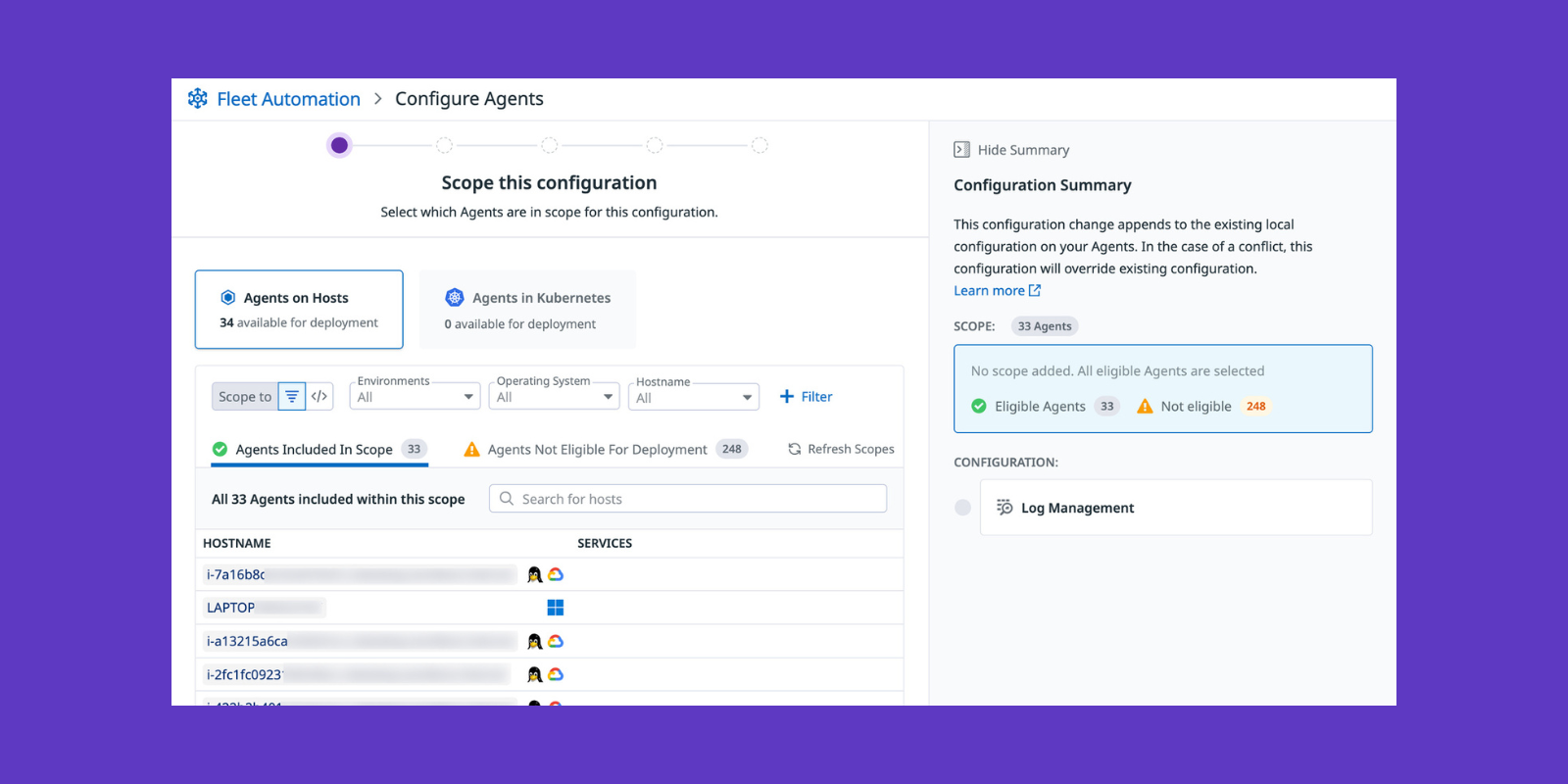
Beyond the Fleet View tab that centralizes all of this, there's a Configuration tab that lets us update configurations in bulk. To do that, you need to make sure Remote Configuration is enabled. It's on by default as of Agent version 7.47.0, though you'll want to be on at least 7.76+ if you want to make integration changes. With it on, we can use the Configuration tab to change agents. That can be anything from enabling features like APM or log collection, to turning on new integrations, to updating datadog.yaml in bulk for adding tags directly.

How changes actually get applied
It helps to know exactly how Fleet Automation applies a change, because the behavior isn't the same for every file. For datadog.yaml, changes are applied as a merge patch. Only the fields we specify get updated, and anything we don't mention is left as is. That's what lets us push out a new tag or turn on a feature across a fleet without disturbing the rest of a host's config. Integration and custom log configs work a little differently. There we either merge patch an existing file or deploy a brand new one, and if we target an existing filename without using merge patch, the whole file gets overwritten. A merge patch adds an instance to an integration, but a full file deploy aimed at an existing filename can wipe out a working check. So be deliberate about which mode you're in before you deploy across a few hundred hosts.
Confirming the change succeeded
Once a change goes out, we want to confirm it actually succeeded, and Fleet Automation gives us a way to do that without logging into anything. Deployments are tracked in their own view, so we can watch a rollout move across the scoped agents and see where it succeeded or stalled. Upgrades even have a safety net built in. If an upgrade fails, the agent can automatically roll back to the version it was running before so that the host stays on a working agent instead of a broken one.
"But Ben," you're probably thinking, "you said half the problem is someone pushing out a change later on that quietly breaks our standards! Aren't we just handing them a faster way to do exactly that???" We kind of are, and that's exactly why the Audit Trail matters. If you have it enabled, every change is recorded, and you can see what changed and who changed it right from the agent's Fleet View instance under the Audit Events tab. If a particular type of change is sensitive enough, you can even alert on it with an Audit Trail monitor. So the loop closes on itself. We saw the drift in Fleet View, we pushed a fix from the Configuration tab, and now we can confirm it took and see exactly who did what.

When a host won't take a change
One thing you'll run into eventually is a host that shows up in Fleet View just fine but won't let you act on it, and it's almost always one of two things.
If the agent's API key doesn't have the Remote Configuration capability, the agent shows up as UNAUTHORIZED. It can reach Datadog, it just isn't allowed to receive remote changes. The fix is to enable Remote Configuration on the key it's using.
The other common one is CONNECTION ERROR, which means the agent has remote config enabled locally but can't actually reach the Remote Configuration endpoints. Usually, that's outbound HTTPS being blocked.
Knowing which of the two you're looking at tells you right away whether it's a permissions problem or a network problem, so you're not chasing the wrong thing.
Doing this programmatically
We also don't have to rely on the UI for all of this. We can make updates or detect non-compliance programmatically using the Fleet Automation API. You wouldn't reach for the API to make a one-off change, that's what the UI is for. The API makes sense when you want a system automating the process instead of a person handling it. It gives us read endpoints to inventory our agents and their versions, and deployment endpoints to push configuration or trigger upgrades.
One natural use is verification. After a deployment, we can ping the read endpoints to confirm the fleet converged the way we expected. Right versions, expected checks present, nothing throwing integration errors. If something doesn't match, we go fix it. Another is scheduled drift detection. A recurring job pulls the fleet's state and compares it to what we expect. When something has drifted, it raises an alert or opens a ticket. Then there's the event-driven case, which is where a programmatic write can be immensely useful. Pair it with something like Datadog's Workflow Automation and we can catch new agents that come online without their expected tags or features. From there, a workflow uses the API to bring them into compliance on its own. No one watching a dashboard, no waiting for the next manual pass.
Where Fleet Automation stops
It's worth being clear about where Fleet Automation stops, so you know where it's worth spending your time. Remote configuration and upgrades are for agents running on VMs. Containerized agents aren't supported, so if you're on Kubernetes or ECS, those agents stay with whatever already deploys them. The versions matter too. Remote Configuration is on by default from 7.47, but remotely configuring the agent needs 7.73, and integration changes need 7.76. If an older agent gets caught in a deployment's scope, it just won't take the change. Some fields just don't work at all. api_key, site, and other authentication parameters can't be managed remotely, so an agent's identity and credentials stay with whatever installs it. And if you do go the API route, keep in mind it's still in preview and served from an unstable path, so the schema can change without the guarantees the stable API carries. Wrap it in a thin client and don't make it load bearing in production just yet.
The idea here is the same one we started with. Each agent we deploy should consistently carry the configuration we expect. We should be able to filter a dashboard to a scope of hosts and trust we're not missing data. We shouldn't have to worry that a monitor is quietly skipping resources (and the outages that come with them) because they aren't being tracked. Fleet Automation puts all of that in one place.
Want your Datadog setup running like this? Let's talk.
FAQ: Fleet Automation & Datadog Agent Consistency
Last updated: 2026-07-02
What is Fleet Automation in Datadog?
Fleet Automation is a native UI in Datadog that gives you a single place to see the configuration, tags, integrations, and features running on every host with an Agent installed. It shows you exactly what's deployed, what's out of compliance, and what's missing.
Beyond visibility, it also lets you push changes back out to your Agents directly from the UI, so you don't need a separate tool like Ansible in place to fix drift once you've spotted it.
How does Fleet Automation apply configuration changes?
It depends on the file. Changes to datadog.yaml are always applied as a merge patch—only the fields you specify get updated, and everything else on the host is left alone.
Integration and custom log configs work differently. You can either merge patch an existing file to change specific fields, or deploy a brand new file. If you deploy to an existing filename without using merge patch, the whole file gets overwritten, so it's worth being deliberate about which mode you're using before rolling out to a large scope of hosts.
Why won't a host accept a configuration change?
It's almost always one of two statuses. UNAUTHORIZED means the Agent can reach Datadog fine, but the API key it's using doesn't have the Remote Configuration capability enabled—so it isn't allowed to receive remote changes.
CONNECTION ERROR means Remote Configuration is enabled locally, but the Agent can't actually reach the Remote Configuration endpoints, usually because outbound HTTPS is being blocked. Knowing which of the two you're seeing tells you immediately whether you're dealing with a permissions problem or a network problem.
How do I know a change actually took effect?
Fleet Automation tracks every deployment in its own view, so you can watch a rollout move across your scoped Agents and see exactly where it succeeded or stalled—no need to log into individual hosts.
If you have Audit Trail enabled, every change is also recorded and visible from the Agent's Fleet View instance under the Audit Events tab, including who made the change. You can even set up an Audit Trail monitor to alert on sensitive changes as they happen.
Can Fleet Automation manage containerized Agents?
No. Remote configuration and upgrades through Fleet Automation only work on Agents running on VMs. If you're running Agents on Kubernetes or ECS, those stay with whatever deployment method you're already using—Fleet Automation won't touch them.
Agent version matters too: Remote Configuration is on by default from 7.47, but you need 7.73 to remotely configure the Agent at all, and 7.76 to make integration changes.
When should I use the Fleet Automation API instead of the UI?
The UI is the right tool for a one-off change. The API makes sense when you want a system automating the process instead of a person clicking through it—for example, verifying a fleet converged correctly after a deployment, running scheduled drift detection, or triggering compliance fixes automatically when a new Agent comes online.
It's worth noting the API is still in preview and served from an unstable path, so the schema can change without the guarantees of the stable API. Wrap it in a thin client and don't make it load-bearing in production yet.
