
Custom APM Instrumentation, Without Writing Code

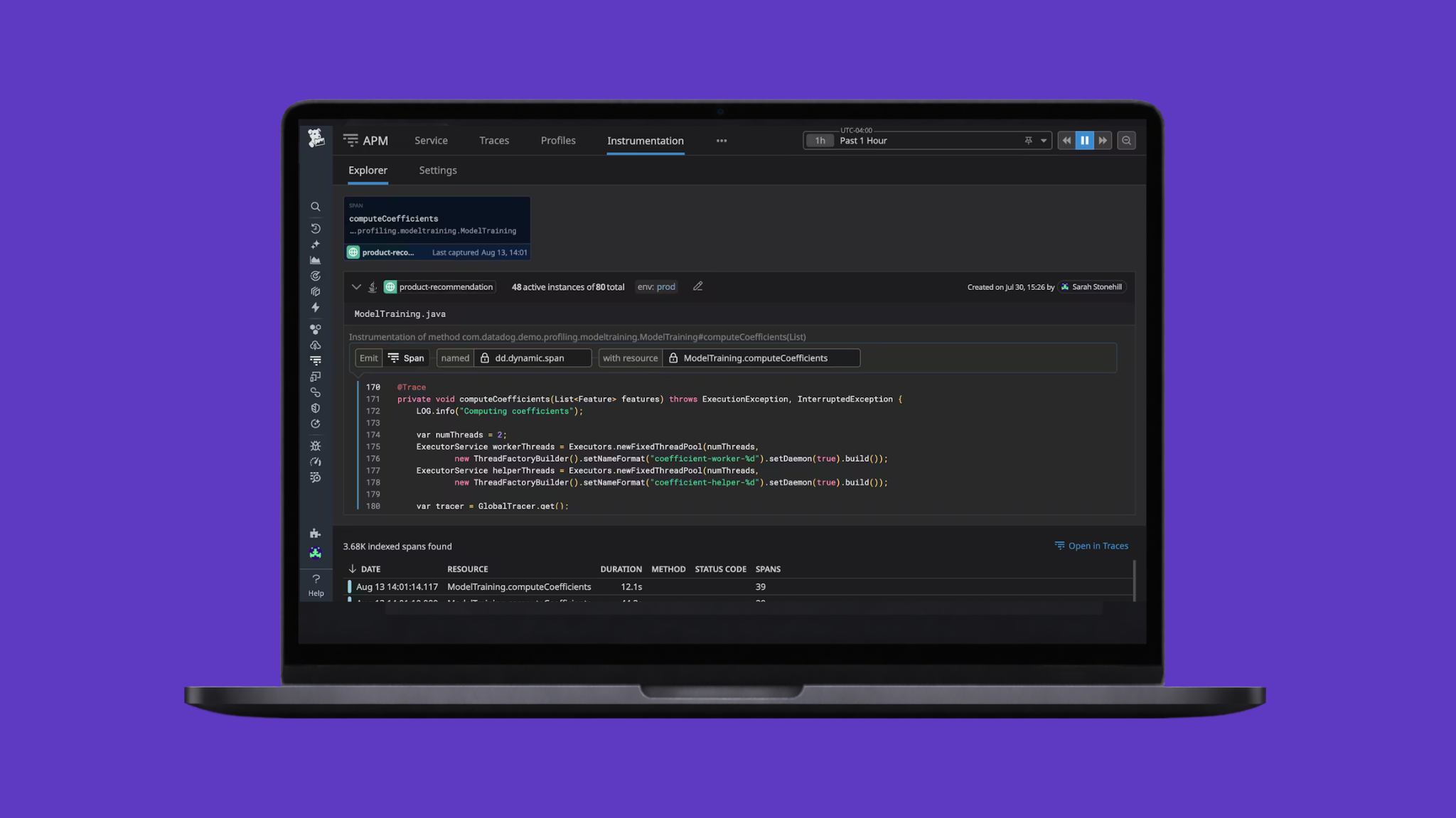
Datadog Automatic APM instrumentation is generally sufficient for most customers, but as soon as it’s not there can be a pretty significant engineering burden. An engineer will have to go into the codebase, find where the changes need to be made, refer to documentation to ensure they are using the correct pattern, and so on.
Take this small snippet for example:
# Without additional tracing, but not covered by auto-instrumentation!
def process_order_for_customer(customer_name: str, order_data: dict) -> dict:
    customer_info = CUSTOMERS.get(customer_name, {})
    subtotal = calculate_order_total_instrumented(order_data.get("items", []))
    final_total = apply_customer_discount_instrumented(customer_name, subtotal)

    return {"total": final_total, "customer_tier": customer_info.get("tier")}


# With additional spans added with span tags to represent the customer
def process_order_for_customer(customer_name: str, order_data: dict) -> dict:
    with tracer.trace("process_order_for_customer") as span:
        span.set_tag("customer_name", customer_name)
        customer_info = CUSTOMERS.get(customer_name, {})
        subtotal = calculate_order_total_instrumented(order_data.get("items", []))

        final_total = apply_customer_discount_instrumented(customer_name, subtotal)

        return {"total": final_total, "customer_tier": customer_info.get("tier")}
This is a simple example - it’s just two lines of code, right? Well, that’s not even to mention the full build and release process that may be necessary, and if that’s not a rapid turnaround we could be waiting for a long time for that data to exist and become useful.
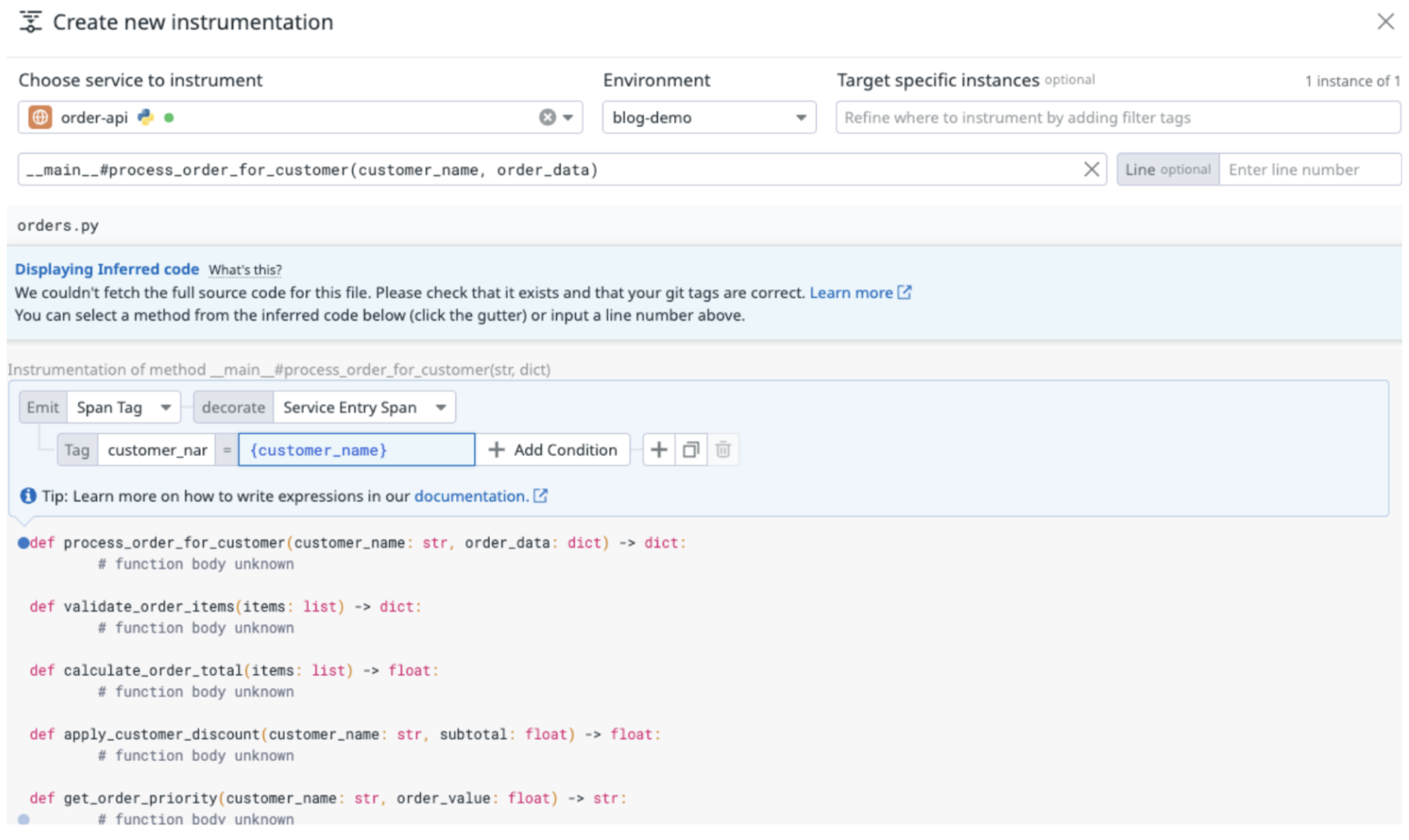
OR…we could have this data in moments. If we use Datadog Dynamic Instrumentation, we can add spans, span tags, and logs directly within the UI. Here is creating a span tag to represent the customer:
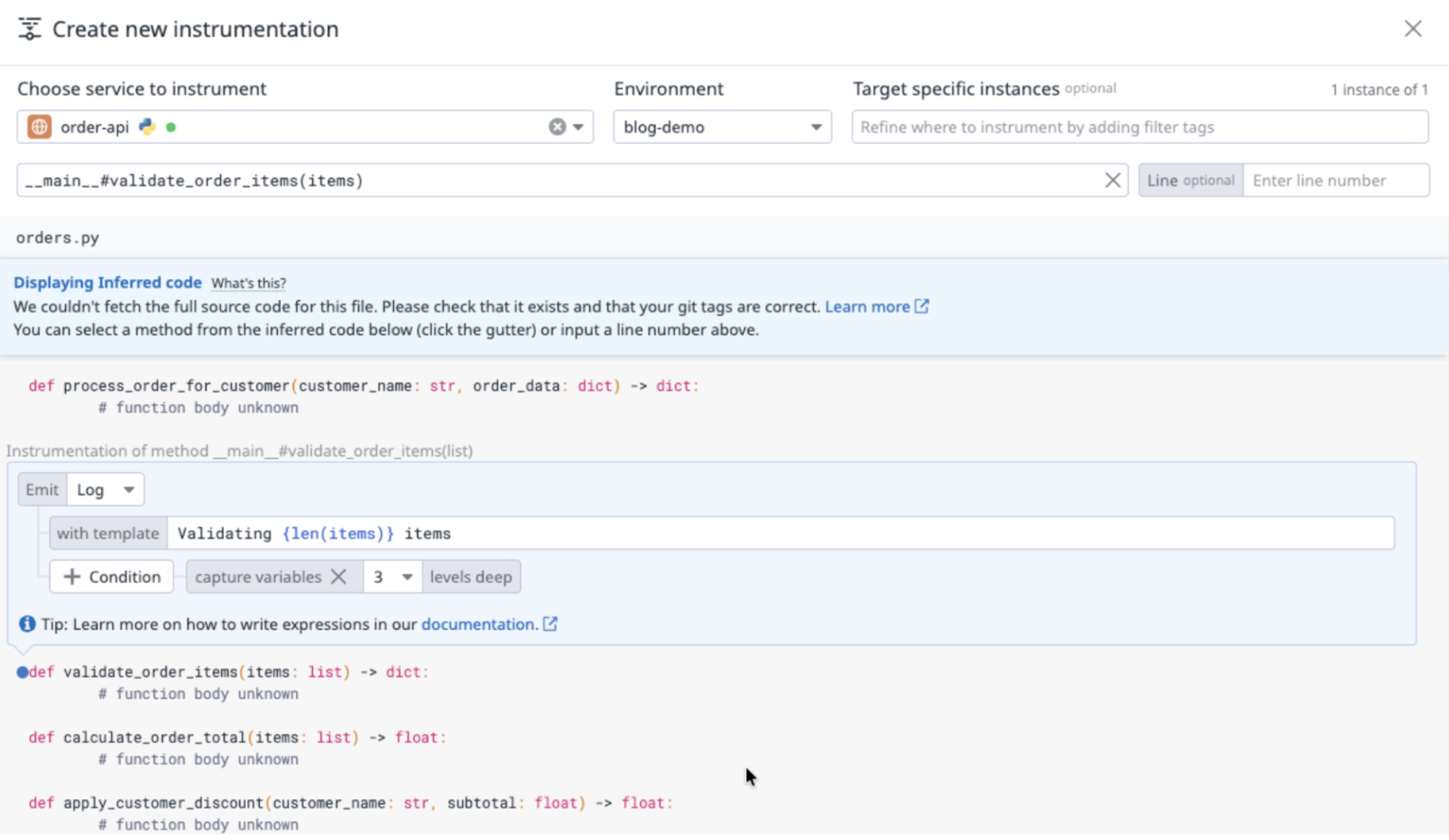
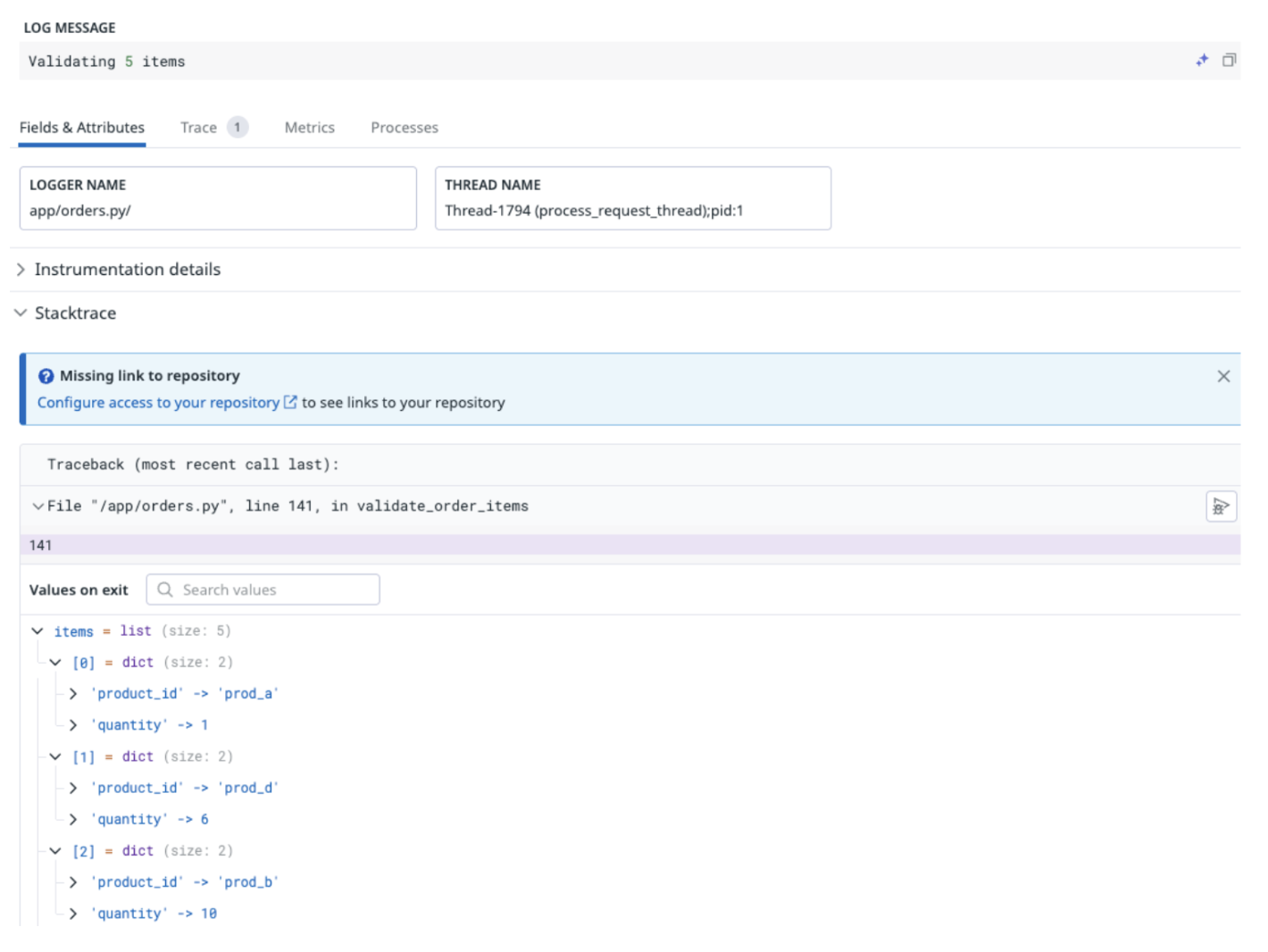
And here’s adding an additional log line, with variable capture:
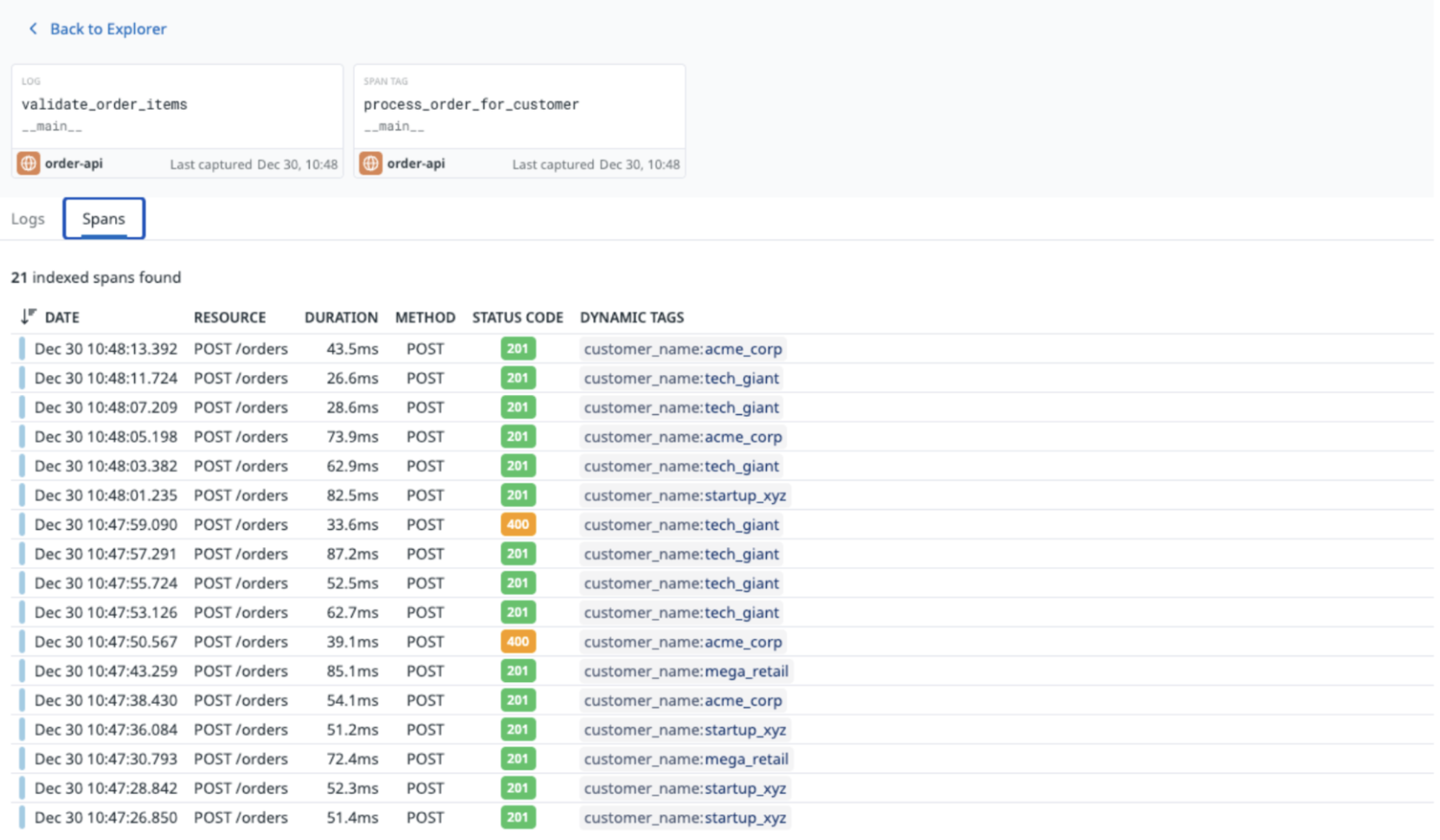
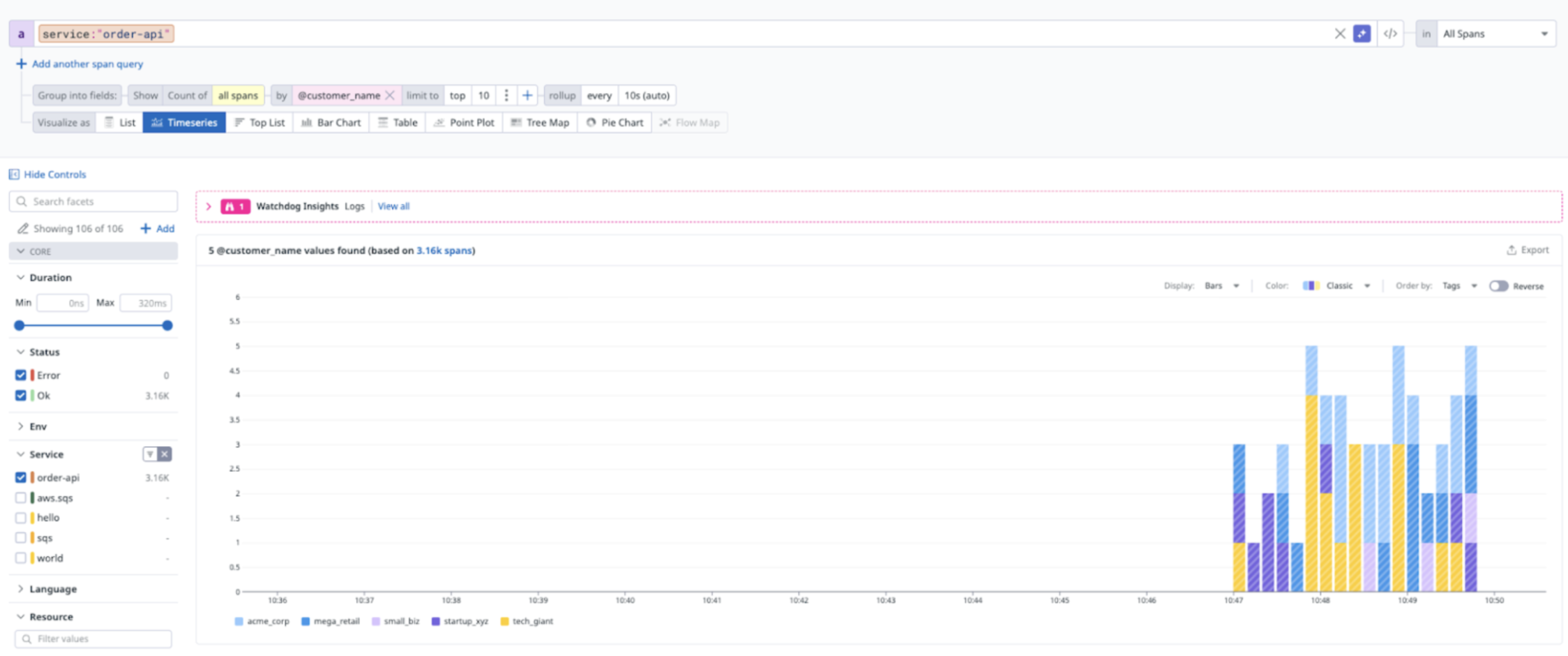
Once we’ve applied this and waited a moment, we can then see our spans generated, with the span tags:
And use them in charts:
For our logs - we now also have additional contextual information provided by this instrumentation from our captured variables:
The only downside here is that this is fully UI based - this isn’t written into your repositories and needs to be managed within Datadog. However, the huge upside here is the time to value. If your release process is long and we need this data now, dynamic instrumentation can always be used as a stopgap until all of the other changes are made.
Still not sure what might need to be instrumented in your codebase? We can help - get in touch!
