
Datadog Migration Guide: How to Migrate to Datadog the Right Way

A practical, engineer-first guide to migrating to Datadog — including tagging, Agents, dashboards, logs, APM, synthetics, SLOs, validation, and cost control.
TL;DR: The Fastest Way to Migrate to Datadog Correctly
If you only take one thing away from this post, it’s this:
A Datadog migration succeeds or fails based on tagging, Agent consistency, and rebuilding dashboards and monitors around Datadog’s strengths — not your old tool’s patterns.
Here’s the short version:
Fix your tagging first
Deploy the Datadog Agent consistently via automation
Rebuild dashboards + monitors for Datadog (not nostalgia)
Tune log pipelines early
Instrument APM intentionally
Add Synthetics + SLOs for true reliability
Validate everything before cutover
Stabilize for 2–4 weeks
Now, the full NoBS walkthrough…
What Is a Datadog Migration? (Simple Definition)
A Datadog migration is the process of moving your monitoring, logging, alerting, and APM workflows from legacy tools into Datadog while rebuilding your observability using Datadog-native best practices.
A migration is not a copy/paste exercise.
You are not “recreating” your old dashboards.
You are building observability correctly — often for the first time.
The NoBS Guide to Migrating to Datadog (Without Creating a Mess You’ll Regret Later)
Migrating to Datadog sounds simple: install the Agent, recreate some dashboards, hook up a few integrations, and call it done.
That’s the path most teams take. It’s also the path that leads to:
Inconsistent tags
Broken dashboards
Noisy monitors
Missing traces
Uncontrolled log volumes
Unclear ownership
Rising Datadog bills
Frustrated engineers
If this sounds like your environment, our Datadog Reality Check will show exactly what’s broken and what to fix first.
At NoBS, we’ve migrated more teams into Datadog than anyone else — from global enterprises to fast-growth SaaS engineering orgs. We’ve seen every anti-pattern, every “quick fix,” and every migration that went sideways.
This is the migration process that doesn’t.
1. Start With Alignment: What Problem Are You Actually Solving?
Before touching a dashboard or an Agent, establish:
What’s missing in your current observability stack
What Datadog needs to improve immediately
What “good” visibility looks like
What teams need better on-call signal
What existing patterns should not follow you into Datadog
What is explicitly out of scope
Your goal is not to recreate the past.
Your goal is to stop carrying bad habits forward.
If your migration starts with “we want Datadog to do what Tool X did,” you’re already limiting the outcome.
2. Inventory Everything (Then Throw Half of It Out)
You need a complete map of your current stack:
Dashboards
Alerts
Log sources
Pipelines
Integrations
Custom metrics
APM instrumentation
Synthetics
Tags
On-call routing
Retention settings
Then—and this is critical—ask: “Does this still matter?”
Most migrations fail not because Datadog is complex, but because teams drag six years of baggage into a new system.
Your migration is your chance to shed it.
3. Deploy the Datadog Agent Correctly (The Step Most Teams Mess Up)
A sloppy Agent rollout guarantees a bad migration.
Your Agents must be:
Automated (CI/CD or IaC)
Uniform (consistent versions + config)
Template-driven (integrations standardized)
Tagged at install
Fully deployed across hosts, containers, runtimes
Bad Agents → bad tags → bad data → bad dashboards → bad alerts → bad outcomes.
It cascades.
Good Agents → everything downstream works.
If you need the official reference on install methods and supported platforms, Datadog’s Agent docs are the source of truth.
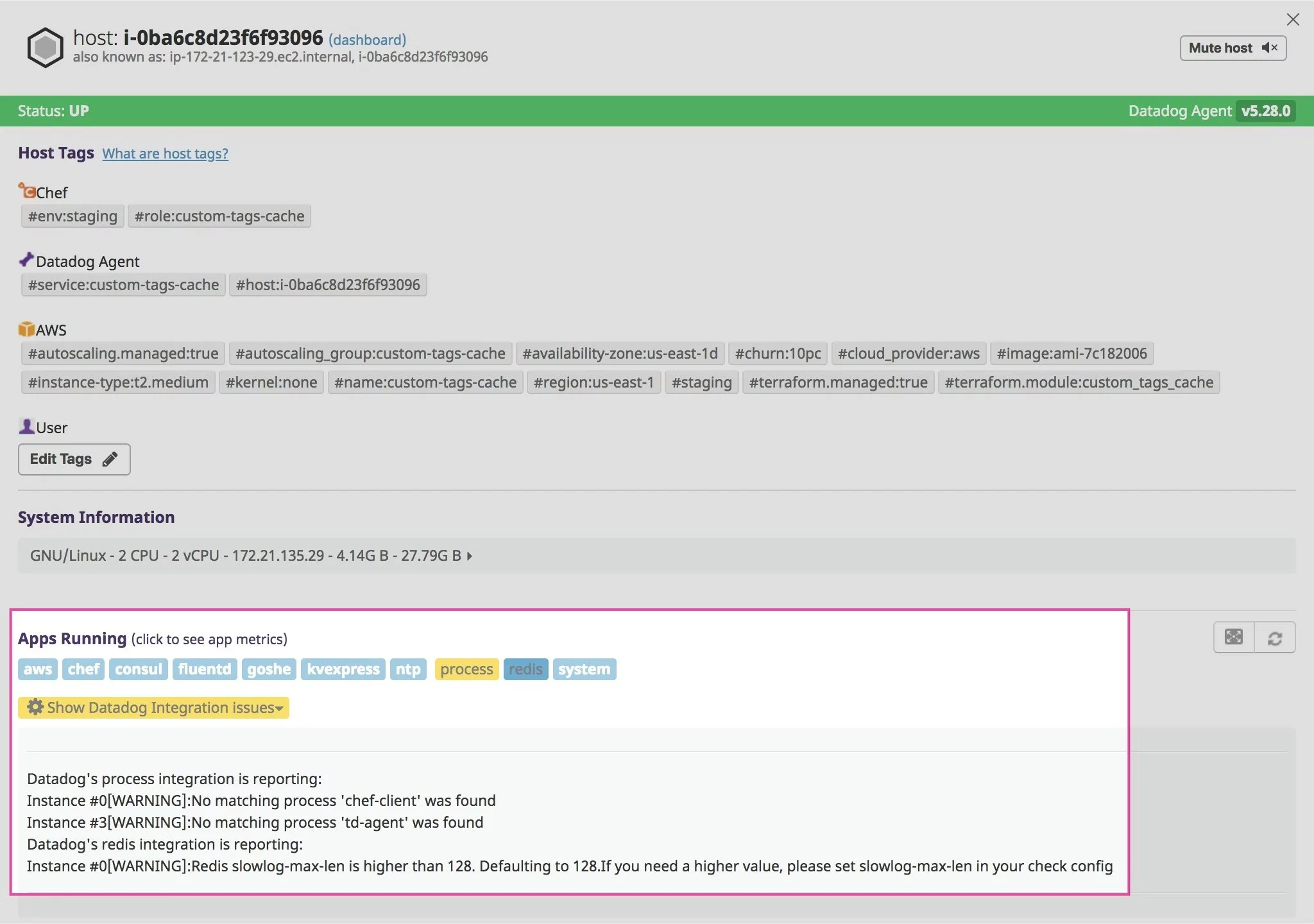
Datadog Agent status view for a single host, showing tags, health, and installed integrations.
4. Standardize Tagging (The #1 Cause of Bad Datadog Migrations)
If Datadog feels inconsistent, it’s almost always tagging.
Non-negotiable core tags:
env
service
version
team / owner
region
cluster
runtime identifiers
Rules:
No duplicate versions of the same tag (prod vs production).
No one-off host tags.
No user IDs or high-cardinality values.
No “temporary debugging tags” that get left behind.
Datadog runs on tags.
If your tagging is wrong, everything else will be too.
For deeper detail on how Datadog thinks about tags, their official tagging guide is worth a skim.
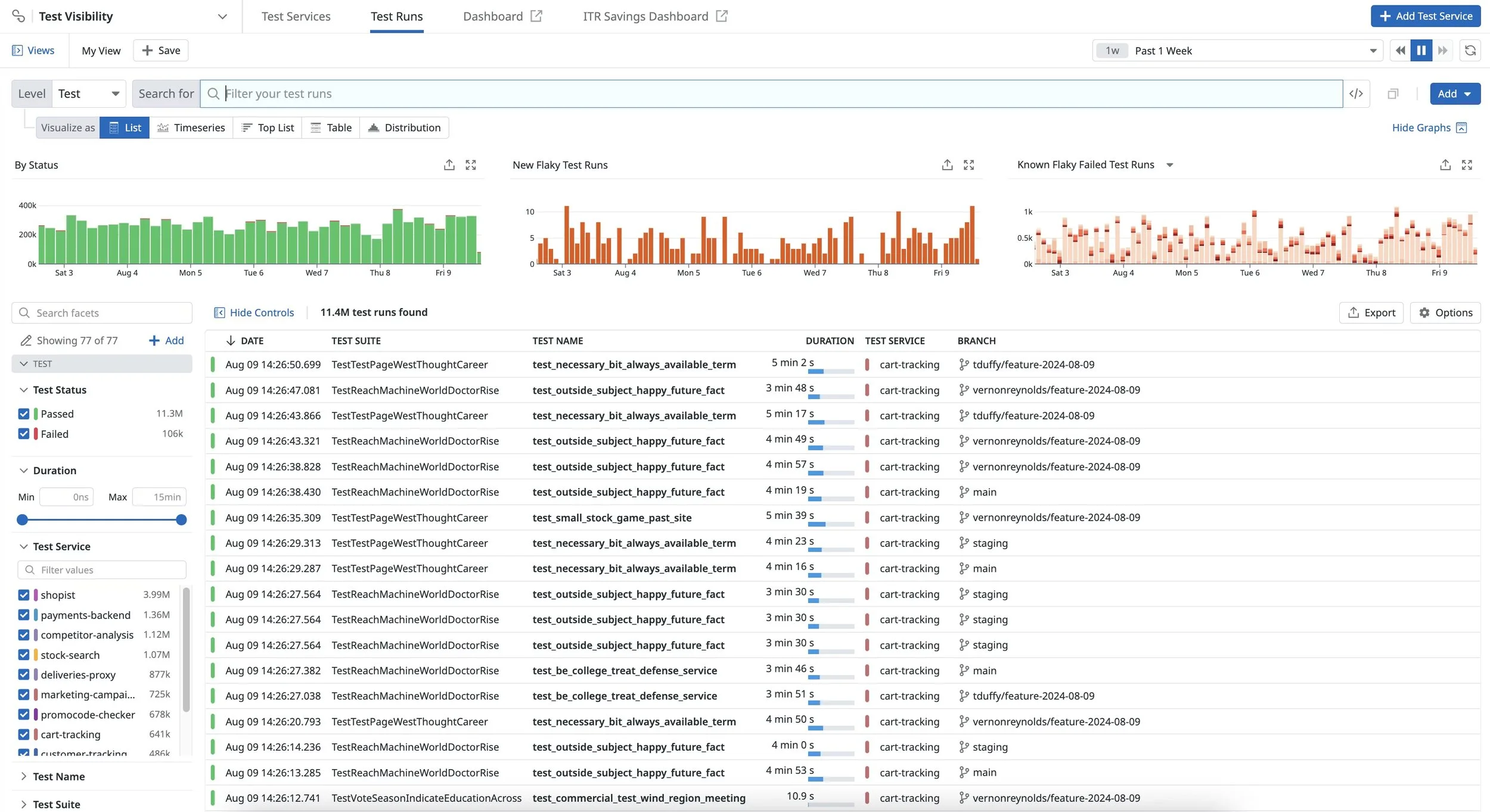
This shows how Datadog displays tags in the UI: lists, key/value chips, filters, and tag panels.
5. Rebuild Monitoring for Datadog (Not Your Old Tool)
If you recreate Grafana or New Relic dashboards inside Datadog, you’ll limit Datadog’s value.
Instead, rebuild around Datadog-native strengths:
Service-level dashboards
Dependency maps
Golden signal monitoring
Event correlation
Aggregated SLOs
Team ownership
Log + metric + trace unification
A Datadog migration is not a visual transplant. It’s a redesign.
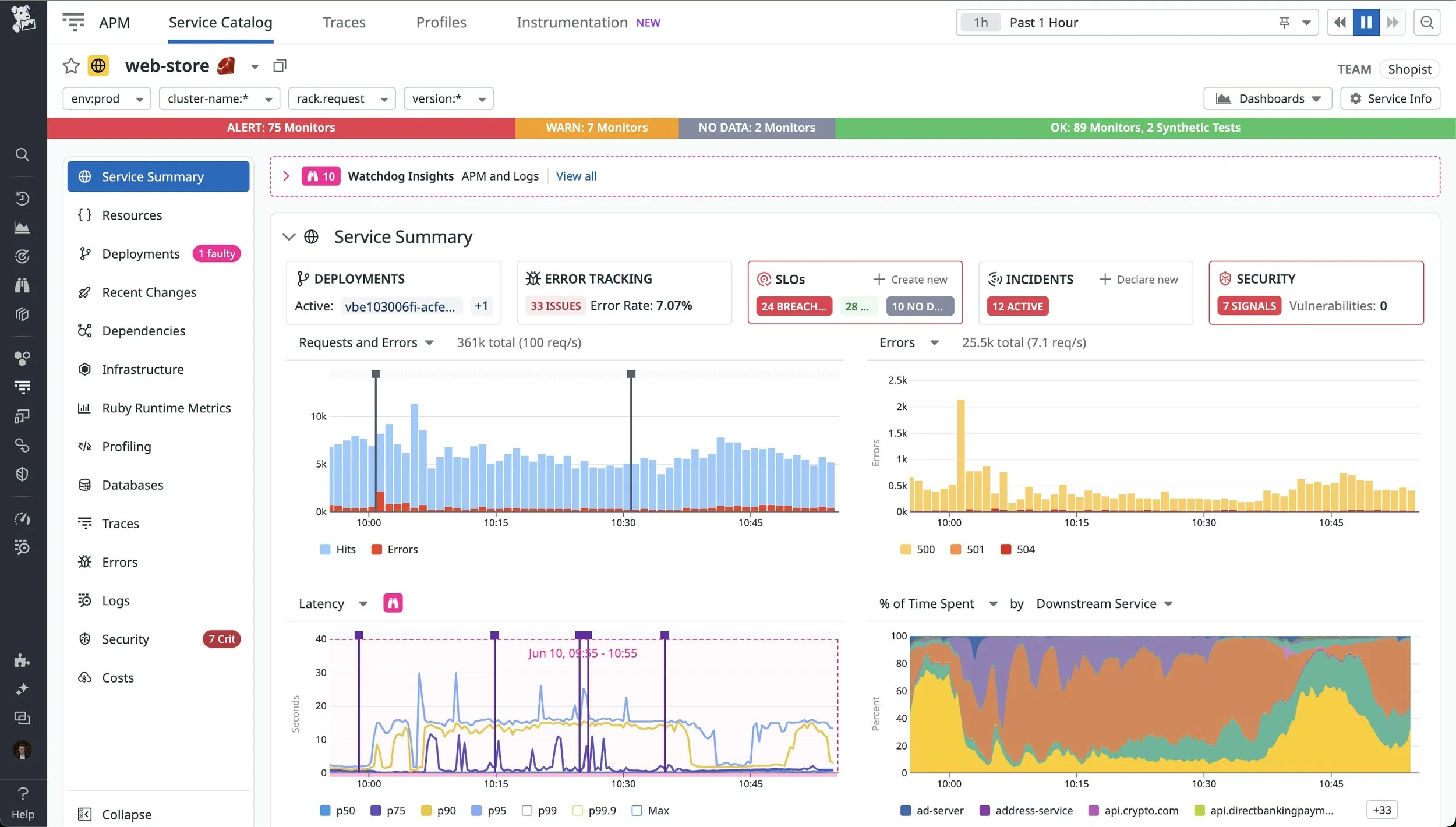
Example of a Datadog service-focused dashboard built around golden signals and ownership.
6. Enable APM, Logs, Synthetics, and SLOs with Intention
This is where Datadog becomes a real observability platform.
APM
Instrument the important services first.
Avoid “everything everywhere all at once” — you’ll drown in noise.
If you’re unsure where APM vs USM fits in your stack, lean on our APM vs USM Blog instead of just turning tracing on everywhere.
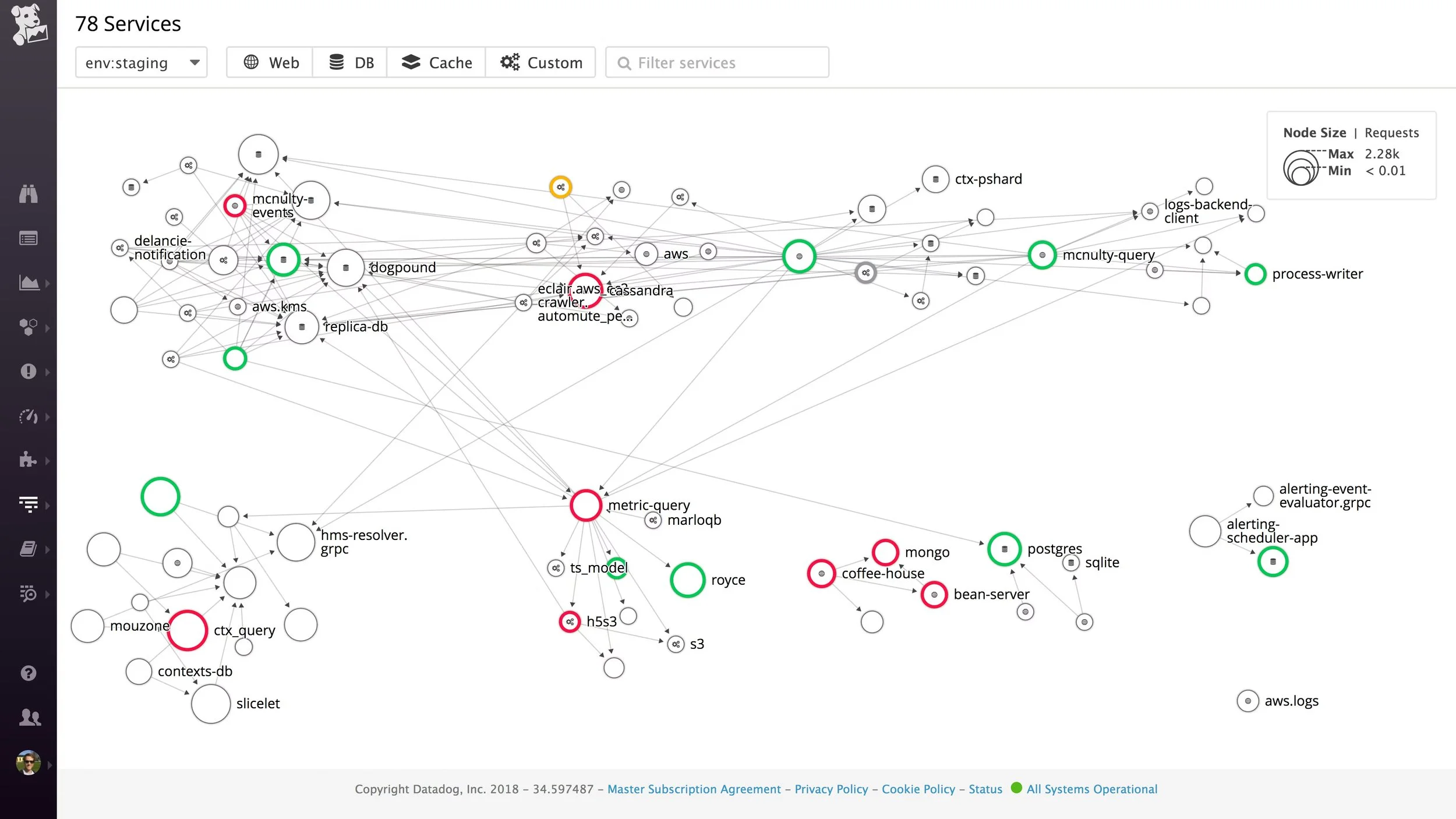
Datadog APM service map showing how requests flow across multiple services.
Logs
Fix pipelines early.
Normalize fields.
Drop noisy logs.
Control cardinality.
For a deeper walkthrough on how to design and tune ingestion without blowing up cost, see our Guide to Datadog Log Retention.
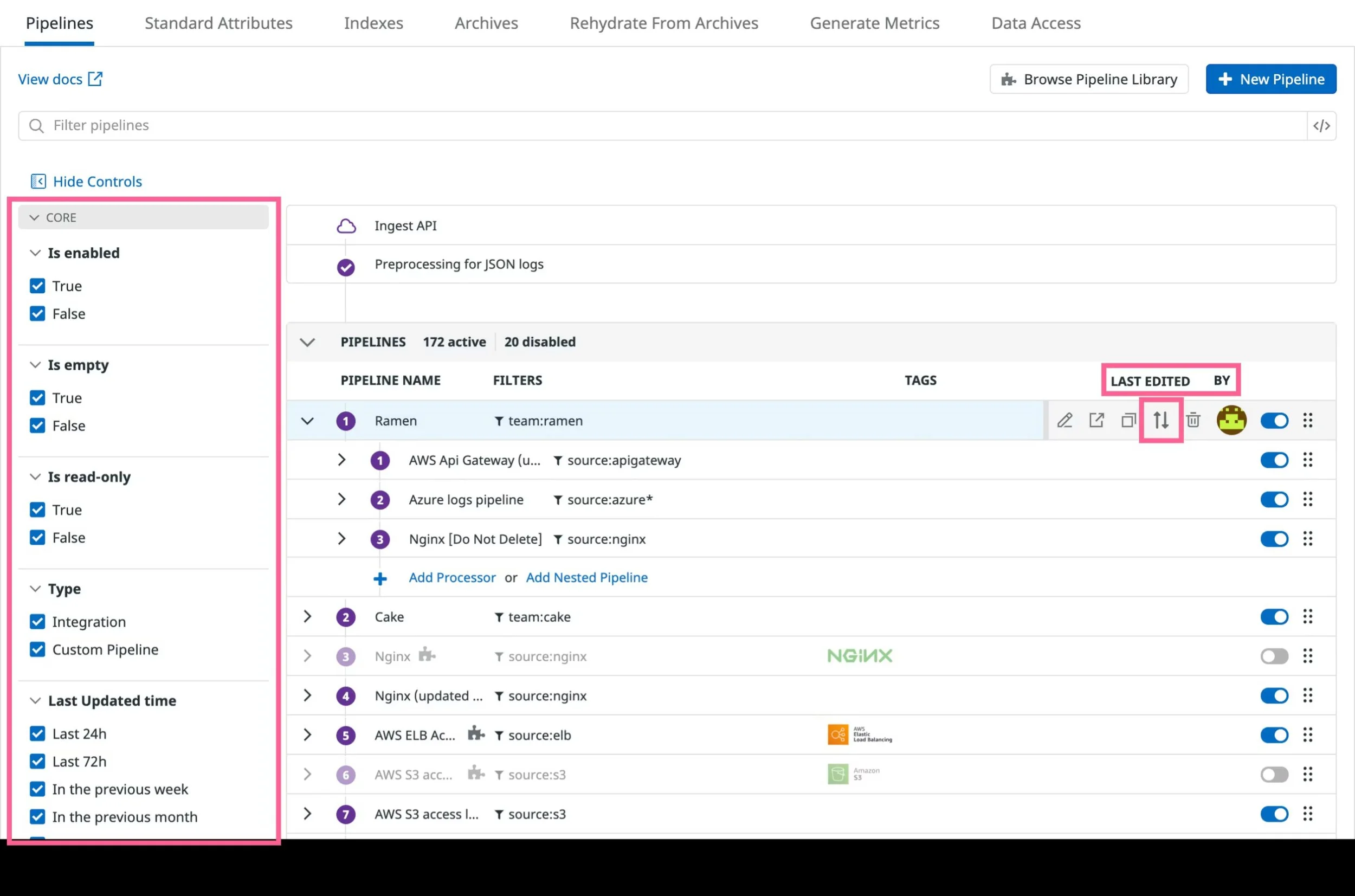
Datadog log pipelines view showing processors and routing for each log stream.
Synthetics
Test real user flows — not just “homepage up.” Start with your highest-value transactions and follow proven synthetic monitoring best practices so your tests actually reflect how users break things.
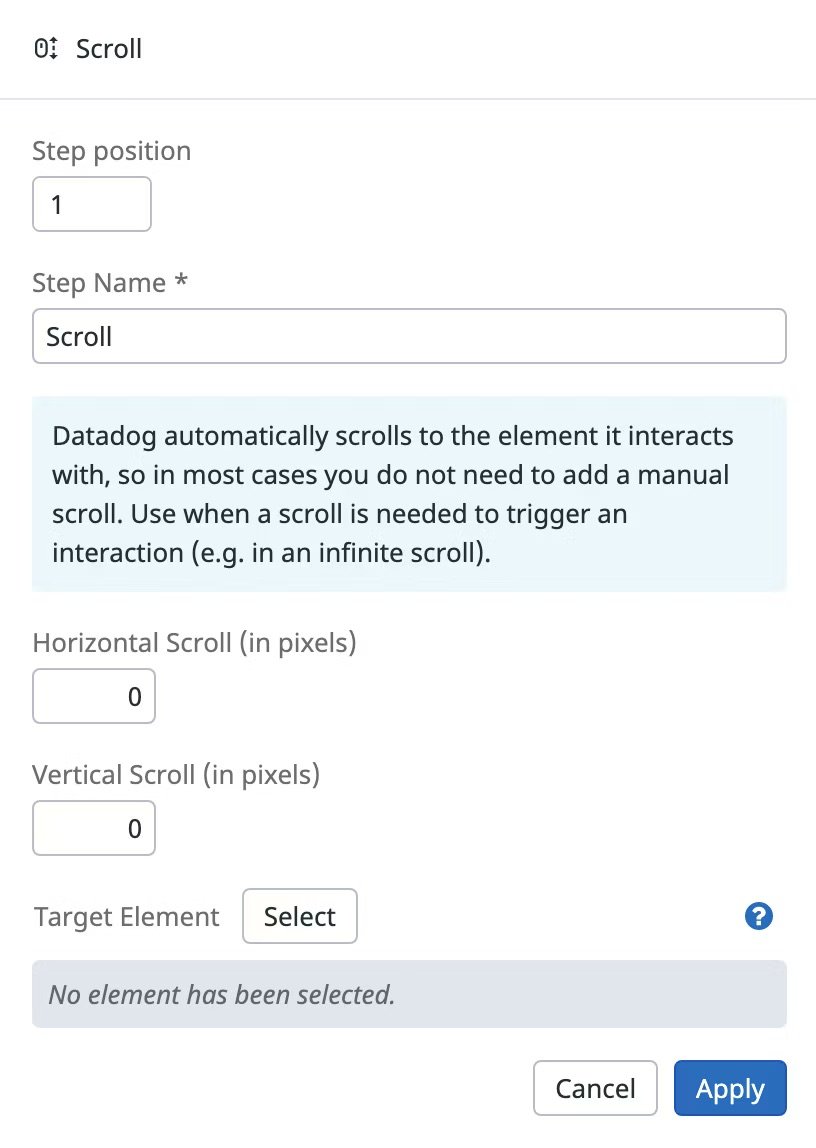
Each synthetic test is a multistep flow—here’s what configuring a single browser step looks like in Datadog.
SLOs
Define reliability based on outcomes, not guesses.
Use error budgets to drive real decisions.
If you want to see how Datadog models SLOs under the hood, their SLO documentation is the best place to start.
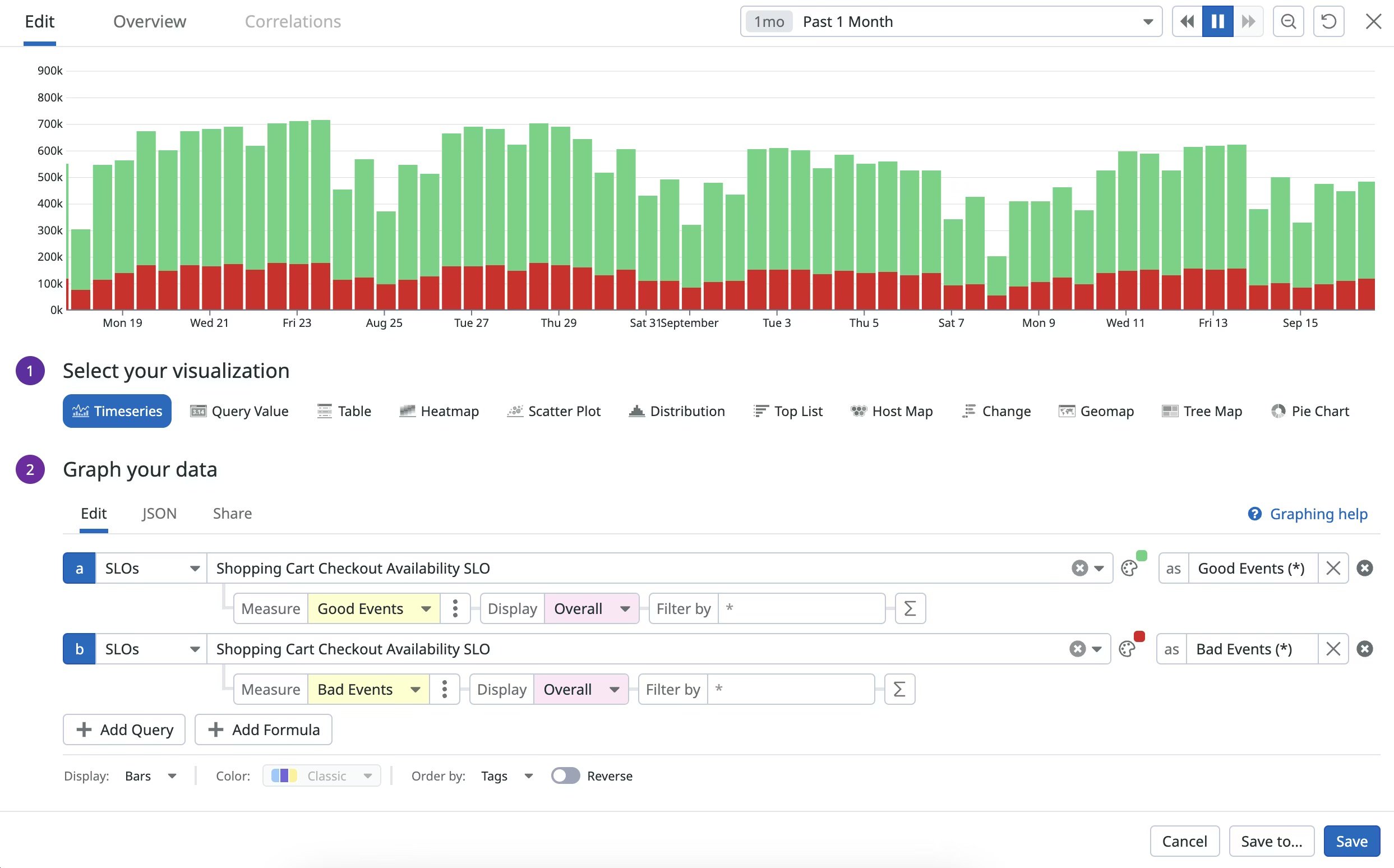
Datadog SLO chart showing error budget burn over time for a key service.
7. Put Governance and Cost Controls in Early
Datadog is not expensive when configured correctly. You need a real log cost control / retention strategy, not “collect everything forever and panic at the bill later.”
You need:
Log tiering strategy
Budget alerts
Pipeline tuning
Metric cardinality limits
RBAC controls
Ownership mapping
Dashboard/monitor creation standards
Periodic hygiene reviews
Good observability has guardrails. Not handcuffs—guardrails.
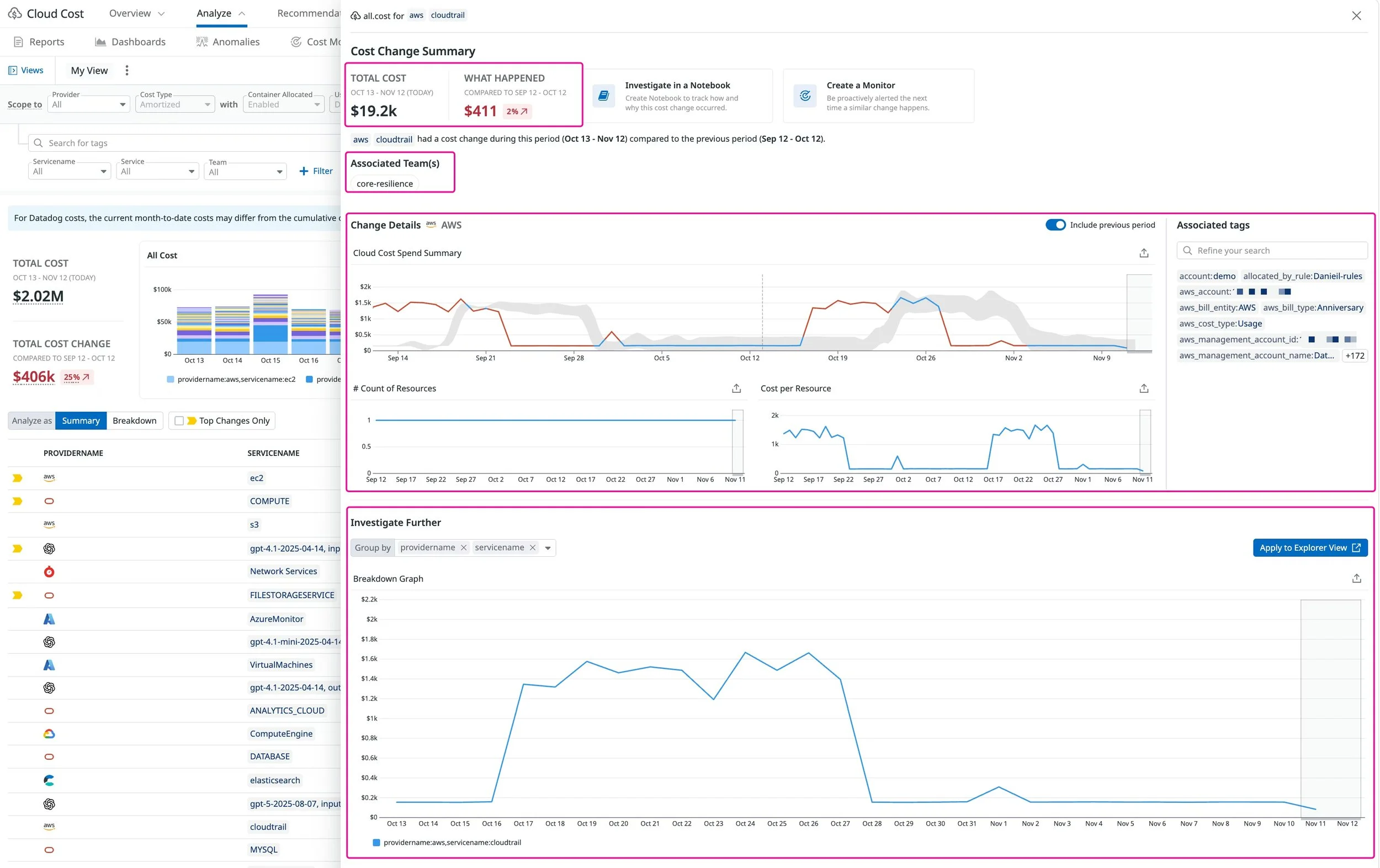
Datadog usage dashboard showing metrics and cost trends you can use to keep observability spend under control.
Validate Everything Before Cutover
Your cutover should validate:
All Agents reporting
Tags consistent
Dashboards accurate
Monitors firing correctly
Traces flowing
Log pipelines stable
Synthetics reliable
SLOs reflecting reality
Cost trending normally
A migration without validation is just wishful thinking.
9. Stabilize for 2–4 Weeks (This Is Normal)
Even perfect migrations need stabilization:
Monitor tuning
Dashboard refinement
Debugging noisy logs
Adjusting APM coverage
Cleaning up tags
Validating ownership
Watching cardinality
A migration isn’t successful when Datadog “works.” It’s successful when Datadog makes sense.
Want to See How Our Engineers Think About Datadog Migrations?
Nick breaks down Datadog migrations in Shop Talk Episode 1 — sequencing, patterns, and the pitfalls we see every week.
If You Want a Clean Datadog Migration Instead of a Messy One, This Is What We Do
NoBS is the only consulting services firm in the world 100% focused on Datadog. We build gold-standard Datadog setups — the kind you rely on when uptime actually matters.
If you want that → start with a NoBS Reality Check. We’ll show you exactly what’s broken and exactly how to fix it — in under 2 weeks.
Get in touch at sales@nobs.tech.
FAQ: Datadog Migration Questions
Last updated: 2025-12-04
How long does a Datadog migration take?
Most Datadog migrations land in 2–6 weeks, depending on environment size, complexity, and how clean your existing telemetry and tags are.
NoBS-led migrations typically complete in under 4 weeks including validation, handoff, and basic training—assuming we can align on owners and environments early.
We already “migrated” to Datadog and it still feels off. Do we need to redo it?
Not always from scratch—but you almost certainly need to fix the foundations: tagging, Agent rollout, dashboards, and log pipelines.
In practice, that means tightening your core tags, standardizing how the Agent is deployed, rebuilding the key dashboards around services and SLOs, and cleaning up noisy or high-cardinality data. That’s usually faster and safer than ripping everything out and starting over.
What’s the biggest cause of Datadog migration failure?
Short answer: inconsistent tagging.
If your tags are wrong or inconsistent, every downstream view in Datadog suffers: dashboards, monitors, SLOs, service maps, and cost breakdowns. You “migrate,” but nobody trusts what they’re looking at. Fixing tagging strategy is usually step zero.
Do we really need to rebuild dashboards?
Yes, for the important ones. Recreating your old dashboards 1:1 is the fastest way to limit Datadog’s value.
A migration is the moment to rethink dashboards around SLOs, golden signals, and ownership—not just port screens from your previous tool. Keep what’s genuinely useful, drop the noise, and rebuild the rest in a way that matches how teams actually debug.
Can Datadog actually reduce observability cost?
Yes—if you treat migration as a clean-up, not a lift-and-shift.
Teams that use the move to fix pipelines, remove noisy data, and cut unnecessary cardinality usually end up with better visibility and lower or more predictable spend. Copying bad patterns from legacy tools almost always increases cost.
